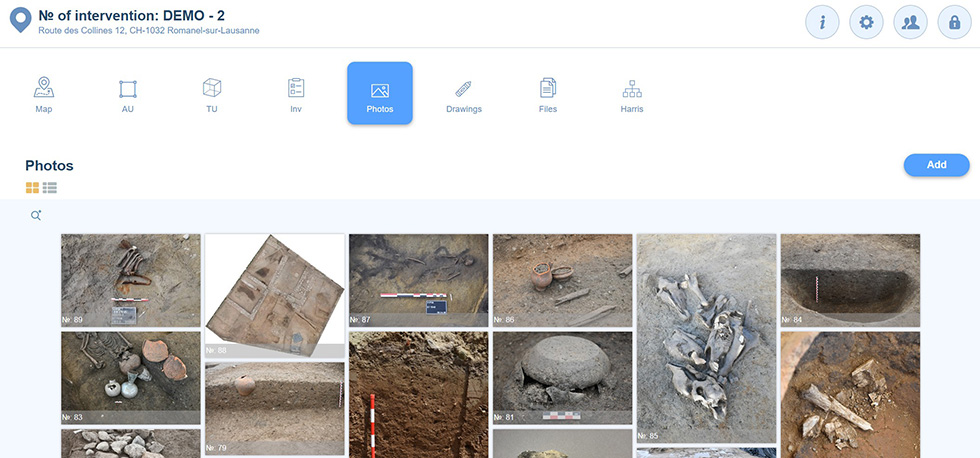
Photos can be added to the program in two different ways: from the main photo tab or from the menu bar of a form.
Add from the main photo gallery
The  button launches the upload process from the intervention photo gallery.
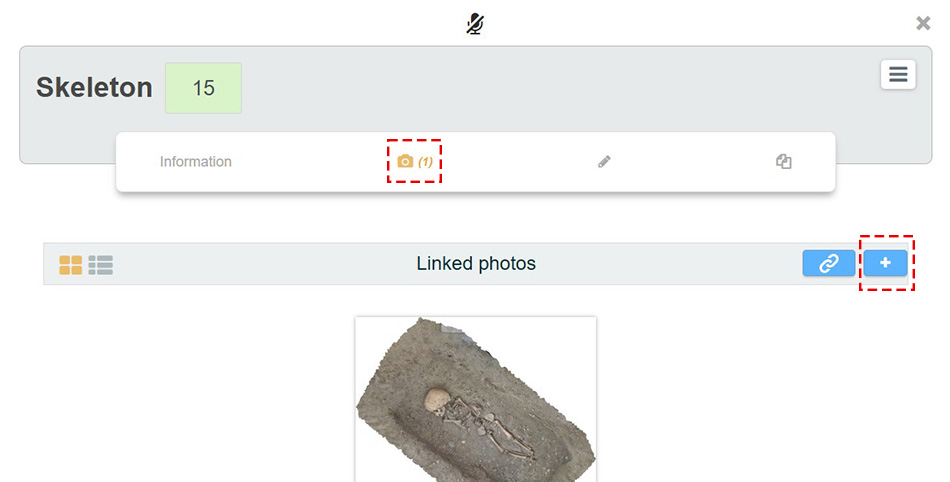
Add from a form
Photos can be automatically associated with a form when added from its menu bar. The  button launches the upload process.
Upload process
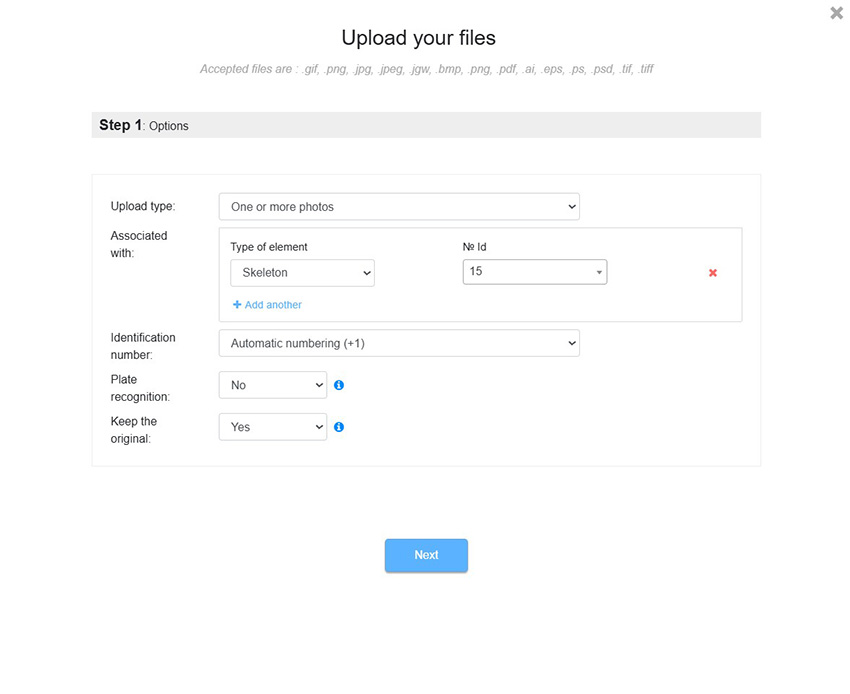
The first step of the upload process defines the configurations that will apply to all photos uploaded in the next step.
| Upload type |
By default, the value One or more photos is activated; it allows the user to select photos to upload later. It is also possible to create a form without photo, in order to reserve the identification number and enter textual information; the photo is added to the form later. In such case, the value Create only the photo form without uploading photos can be selected. |
| Associated with | "Associated with" relationships between the photos to be uploaded and an existing form can be defined. For example, associate the uploaded photos with inventory object No. 254. |
| Identification number | The photo identification number can be generated automatically or based on the name of the photo. |
| Letter board recognition | If a descriptive letter board appears in the photo, an AI module reads the information and infers the “Associated with” relationships to be stored in the program’s forms. This automatic association is very convenient and saves considerable time. The board must include, somewhere in its text, the name of the form followed by its identification number. For example, ST 12. |
| Keep original | Photos are specifically processed to maintain a smooth working environment. The originals can all be kept. The user should be aware that for a very large number of photos (> 50,000), the storage costs on the servers, even if minimal, increase proportionally. |
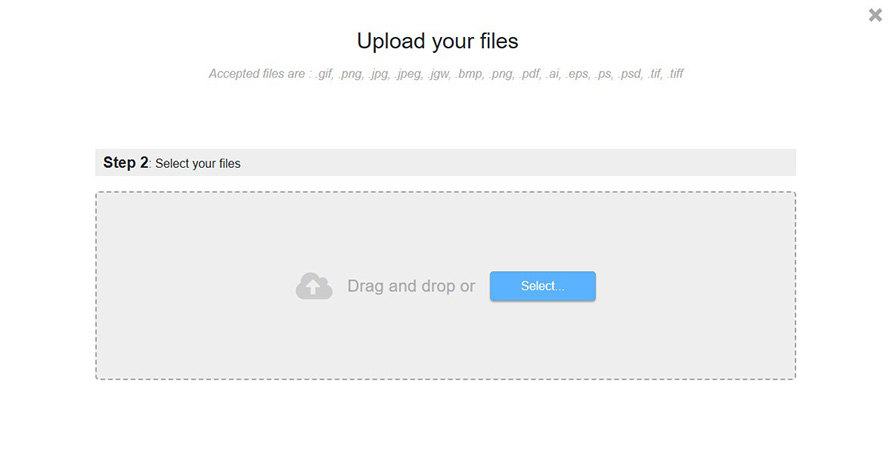
The next step of the upload process is to select the photos to be uploaded. Once the photos are selected or dropped into the frame, the upload starts automatically. More photos can still be added before clicking the Finish button.