To ensure complete traceability of changes made in the program, each form has a history.
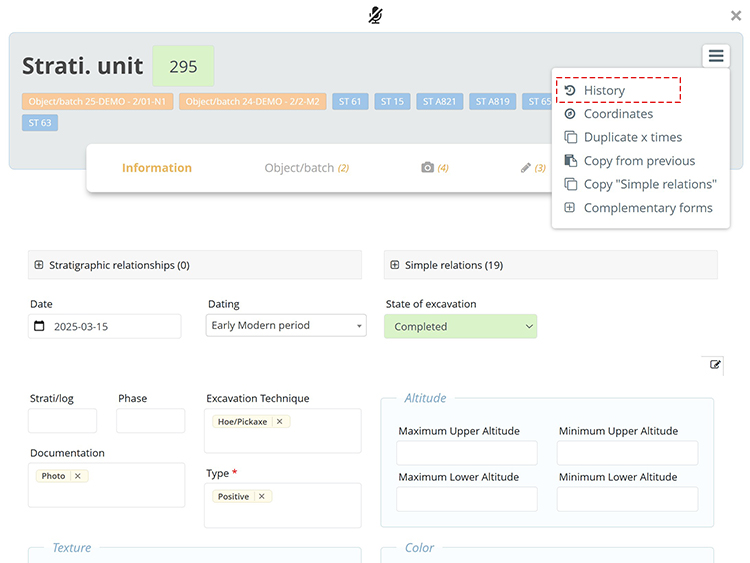
From within a form, click the dropdown menu at the top right and select History.
The history displays the modification date, the name of the user, and the change that was made.
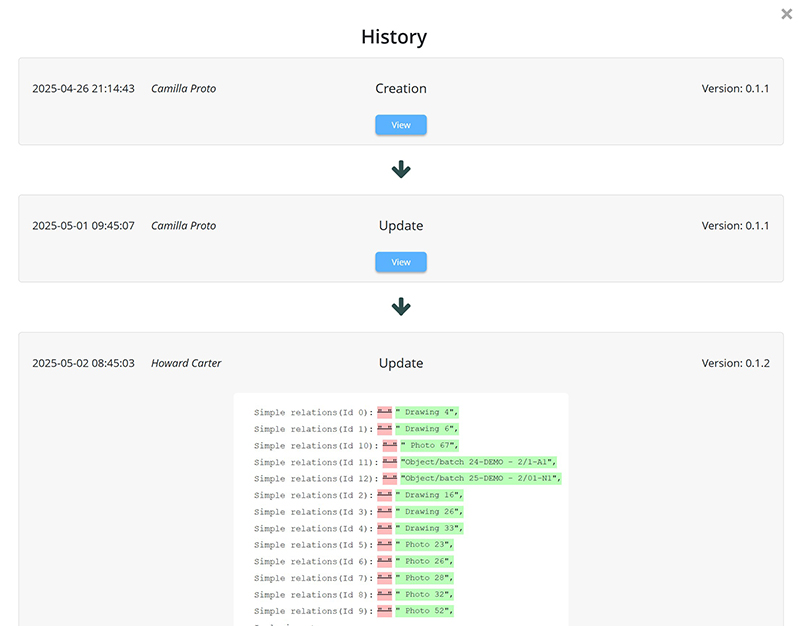
By clicking the View button, the form opens in read-only mode (non-editable) as it was at the time of the saved version.