The ArcheoBase working environment is based on the concept of dynamic forms. A dynamic form is a form whose field structure is defined by the user in order to precisely meet their needs.
Configure a Form
The process of configuring a form can be done from an existing form or from the form configuration menu.
From a Form
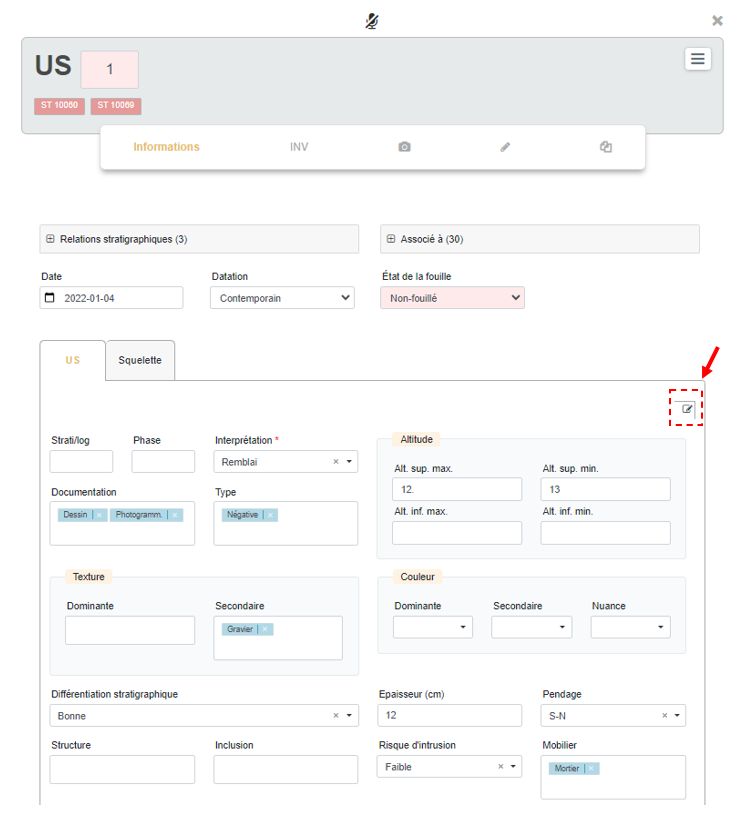
A user with the Form Management right will see an icon  displayed on the right side of the form. This icon indicates that the fields below are fully configurable.
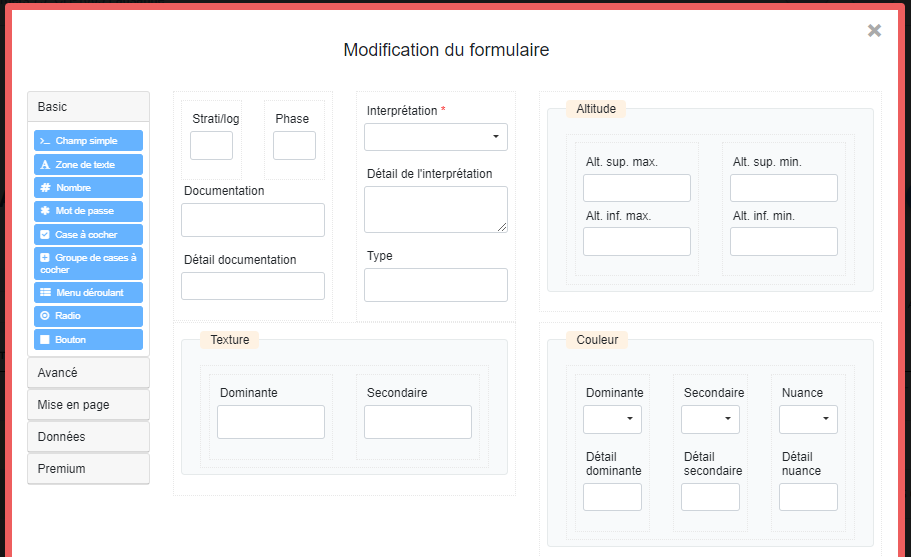
Once the Edit Form interface is opened, you simply drag components from the left panel into the form on the right to add new fields.
From the Form Configuration Menu
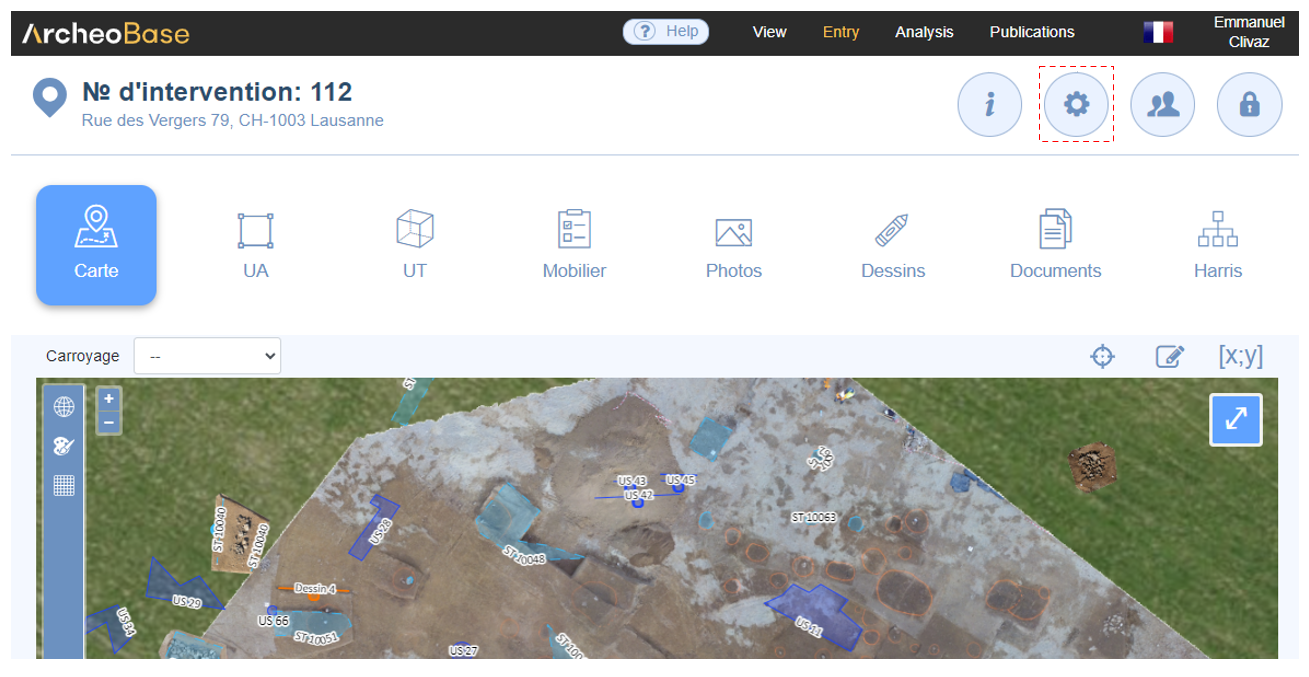
Forms can also be configured from the Configuration / Form Configuration menu. This approach is especially used when initially designing a new form type, where fields such as Stratigraphic Relations, Associated With, Date, Dating, and Excavation Status also need to be configured. Refer to Create a Form Type for more details about this process.
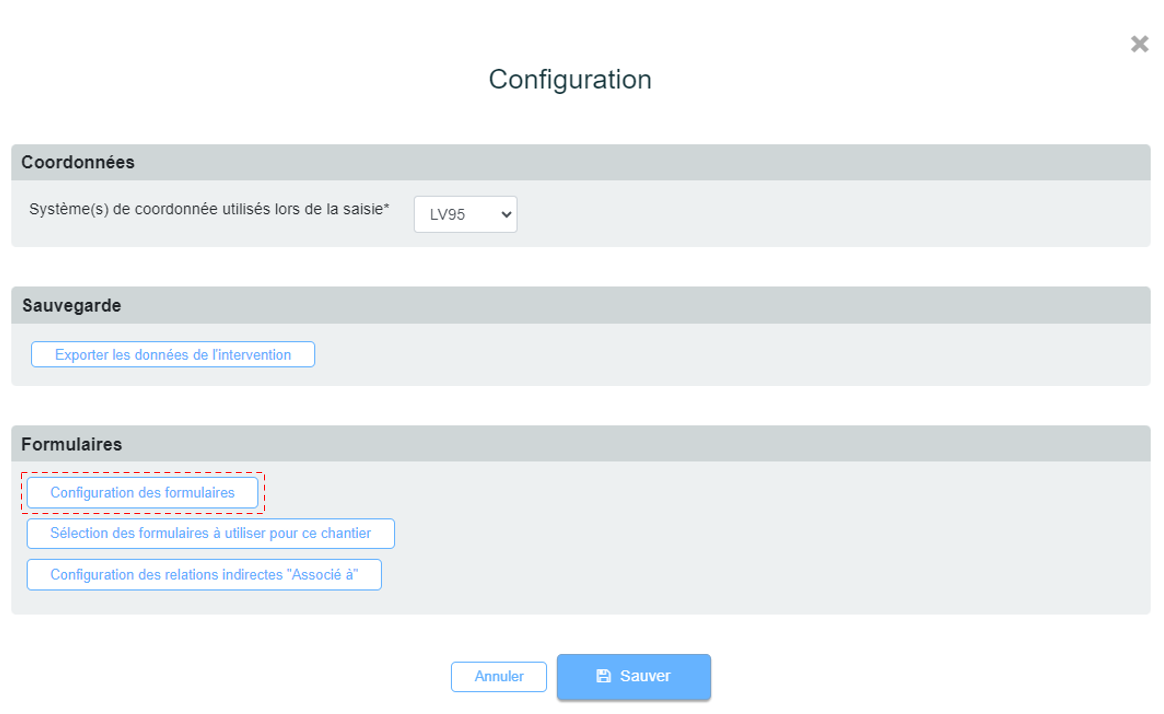
The Create a New Form Type interface appears. After entering the Form Name and its Description, you can select the desired basic fields. "Associated With" shortcuts can be generated, as explained in the Create a Form Type tutorial. Finally, simply select the components on the left and drag them into the form on the right to add new fields.
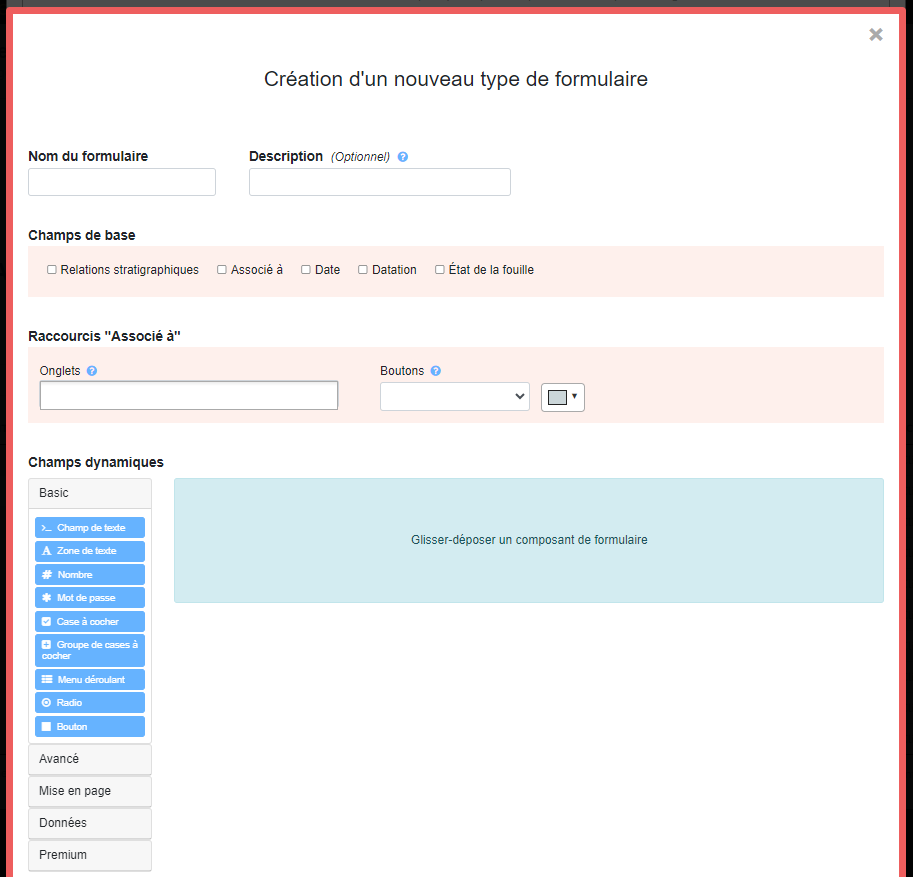
A dynamic form can include various types of fields:
These fields can be grouped for layout purposes using the following elements:
A form can also integrate HTML elements to insert text or graphic content.
Methodological Principles
Text fields should be limited in favor of more specific fields such as numeric fields, dropdown menus, checkboxes, or radio buttons. It is recommended to provide a constrained framework to guide the wide range of users toward precise, uniform, and fast data entry. The goal is to ensure data consistency to facilitate subsequent analytical or statistical exploitation.