Batch operations on forms are facilitated by the Hand icon. This icon turns red once activated. This tool allows you to easily modify a series of forms without having to open them one by one and make changes individually.

Once the Hand icon is activated, the user can select the source form to work from. After selection, the Action dropdown menu allows three types of actions to be selected: Copy to existing, Duplicate X times, and Delete.
Copy to existing
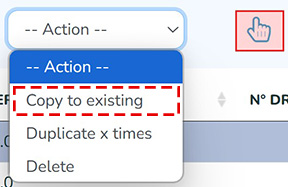
If the user selects an individual row and clicks on Copy to existing, a page opens allowing them to select which fields from the form should be copied to other forms:
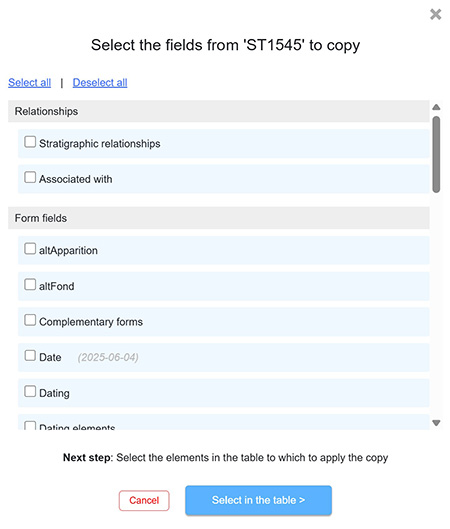
After confirming the selection by clicking on Select in the table, the user can choose the forms or rows to which the copy should be applied. The Ctrl and Shift keys allow multiple selections at once.
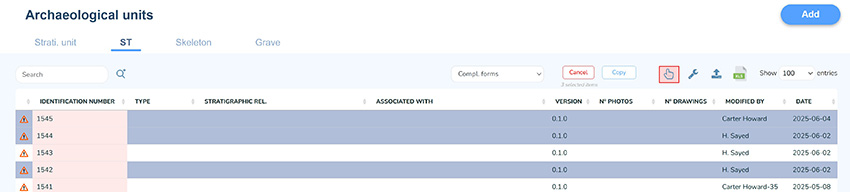
The copy can then be finalized by clicking the Copy button located to the left of the Hand icon.
Duplicate X times
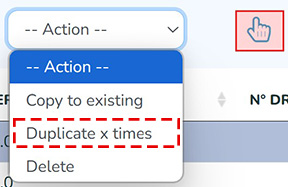
The selected form can be duplicated as many times as desired. This function is used to generate a large number of forms with pre-filled fields. In this case, the identification number generated for each form is assigned incrementally, just as it would be when usually created by clicking Add.
Delete
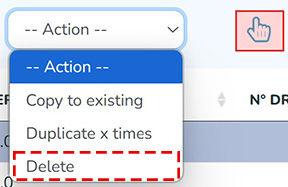
For deletions, the user can select multiple forms in the table using the Ctrl or Shift keys.